
Building a clinical review workflow with a flywheel
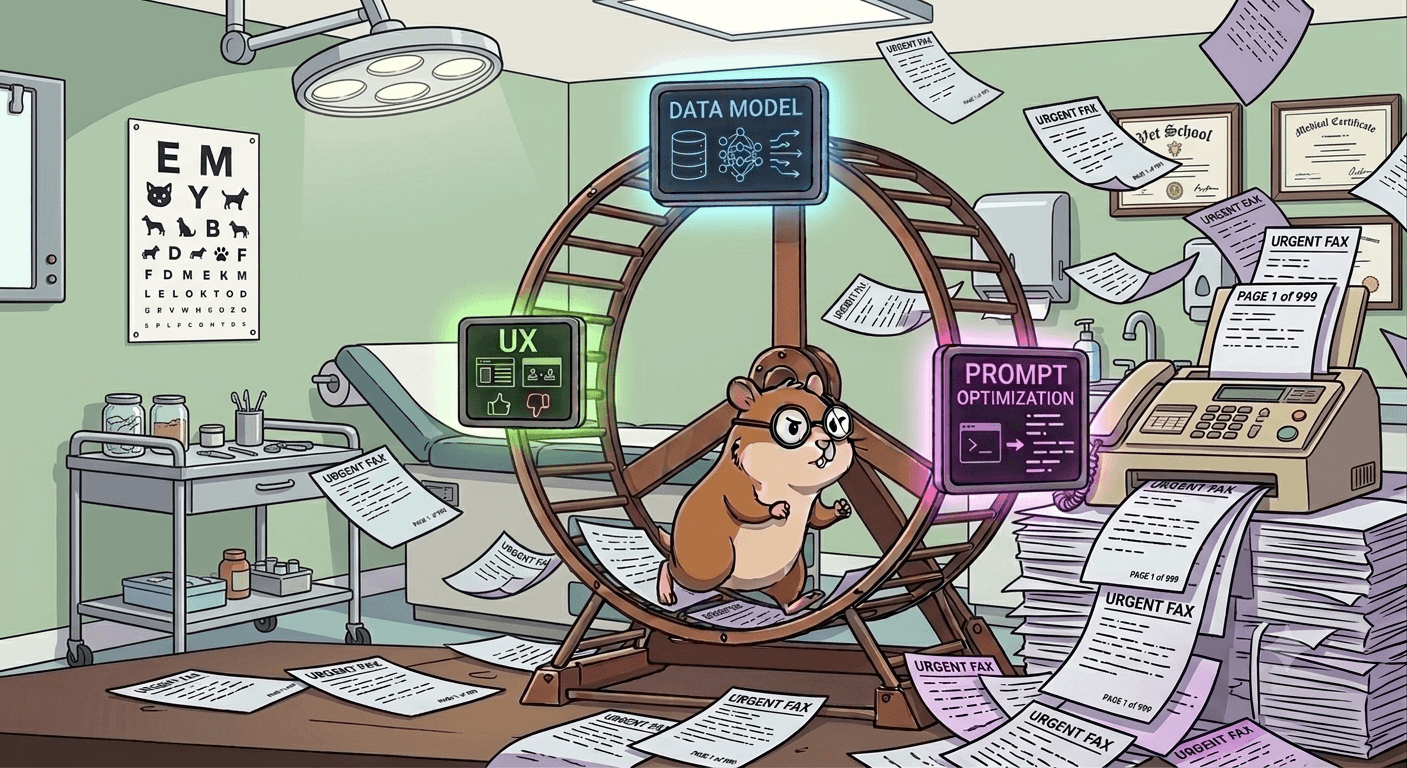
Image generated by Gemini; prompt loosely based on a hamster wheel, UX, data model, prompt optimization, and a clinic fax machine.
For the last week I’ve been updating our fax processing system to dive into niche workflows. Previously we’d avoided diving too deep into document content and instead focused on high level metadata – which patient, for which provider, with which practice, and what document type (lab results, referral, progress note, etc.). This worked well because it solved a universal problem across the health system (if I put on my entrepreneurial hat, I’d pluralize that to all health systems), but two years later it’s time dig a little deeper. At the outset this is fun because there is greenfield development involved, but as I get deeper into the project, I see this will be a challenge. Here are some of the things I’m considering as I’m building:
What’s good enough for an MVP?
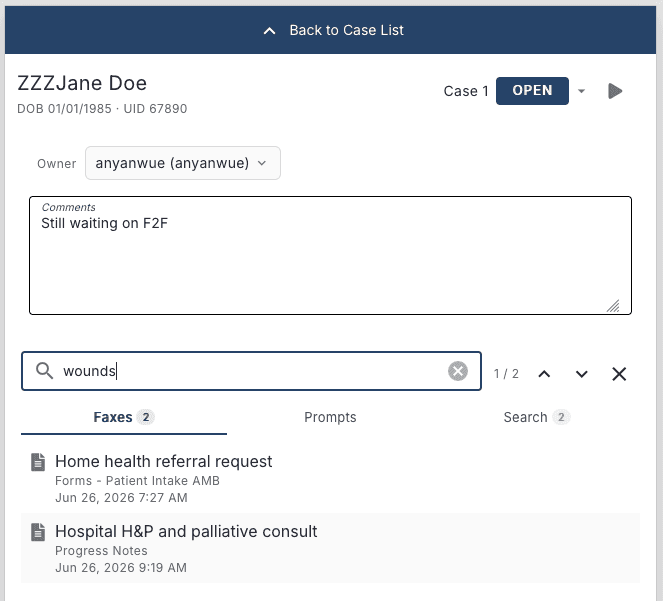
I’m a self-professed lover of complicated systems. Recognizing this about myself I must continuously ask - what’s good enough to be useful, and simple enough to be maintainable and explainable? Developing understanding of the workflow and empathy for end users helps ground what we build and the sequence in which we build it. I recently spent time with the first team who will use this workflow system for referral processing. I learned that their current workflow revolves around a network drive as a shared task queue, with filenames used for annotation. For example: “John Doe – referral, still needs secondary insurance and F2F.pdf”. I had reviewed their protocol on paper but seeing it in action with my own eyes was enlightening – here I am thinking about the best way to design this new system for prompt feedback and tuning, and there are basics around group task management (i.e. locking, collaborative annotation, searching, and status) that are low hanging productivity boosts! I rebalanced my focus and spec’d out this stuff quickly.
Building a Flywheel
With some basic scaffolding for group task management in place, I’ve decided prompt tuning is where some interesting work lies. You see, the team has task-oriented questions they need to answer on 3-10 faxed referral documents as source material. I’ve already implemented cross document search using OCR data, allowing a case reviewer to manually search for terms like “catheter” or “social work”. But, wouldn’t it be great, if their core questions were answered for them already when they open the patient’s case? So this is basically what I set out to build – when a fax comes in run a series of workflow-specific prompts on the OCR data that seek to answer questions, for example:
CITATION_WHEN_FOUND_INSTRUCTION = (
    "When the question can be answered from the fax:\n"
    "The fax OCR is wrapped in <fax_page number=\"P\" total=\"M\" format=\"lines|plain\"> elements. "
    "When format is lines, each <line n=\"L\"> is citable. "
    "Cite sources as markdown links: [exact quote](#page-P-lines-L[,L...]). "
    "P must match the fax_page number; each L must match a line n on that page. "
    "Use comma-separated line numbers only (e.g. #page-3-lines-8,12,15). "
    "If the line is unclear, cite the page only: [quote](#page-P)."
)

_PROMPT_DEFINITIONS = [
    {
        "display_name": "Disciplines Needed",
        "prompt": (
            "Which clinical disciplines are explicitly requested in this document?\n"
            "The credentials of an individual mentioned on a document are not to be confused with a request for a discipline."
            "For example Kathy Smith, RN, MSW, is not a request for a Registered Nurse or Social Work discipline, but rather a mention of the individual's credentials."

            "Acceptable disciplines: \n"
            "- RN - Registered Nurse\n"
            "- LVN - Licensed Vocational Nurse\n"
            "- CNA - Certified Nursing Assistant\n"
            "- PT - Physical Therapist\n"
            "- OT - Occupational Therapist\n"
            "- SLP - Speech-Language Pathologist\n"
            "- HHA - Home Health Aide\n"
            "- MSW - Social Work\n"
            "- SW - Social Work\n"

            "## Example 1 text from the document:\n"
            "Physician order:\n"
            "PT/OT/RN/SN/MSW/HHA\n"

            "## Example 1 response:"
            "- [PT - Physical Therapist](#page-2-lines-10)\n"
            "- [OT - Occupational Therapist](#page-2-lines-10)\n"
            "- [RN - Registered Nurse](#page-2-lines-10)\n"
            "- [SN - Licensed Vocational Nurse](#page-2-lines-10)\n"
            "- [MSW - Social Work](#page-2-lines-10)\n"
            "- [HHA - Home Health Aide](#page-2-lines-10)\n"

            "## Example 2 text from the document:\n"
            "Home PT and OT - evaluate and treat; Skilled nursing visits for ongoing assessment and management of lisease process, including monitoring for signs and symptoms of infection (redness, swelling, drainage, increased pain or fever), medication reconciliation and education;\n"

            "## Example 2 response:"
            "- [PT - Physical Therapist](#page-2-lines-10)\n"
            "- [OT - Occupational Therapist](#page-2-lines-10)\n"
            "- [SN - Skilled Nursing](#page-2-lines-10)\n"
        ),
    },
]
The first couple results are intoxicatingly successful, but what happens next? You notice that the prompt has trouble distinguishing between the note author’s credentials (“John Doe, RN”) and the explicit need for home nursing services (“home RN eval and treat”). The quick way to solve for this is to manually edit the prompt, making it more explicit and provide examples with things like “requested: RN”, “needs home nursing for wound care” and this seems to work a little, but what I’m really angling for is automating the prompt revision, and measuring performance of a new variant such that the optimization can be automated. This isn’t new, at all, and I’ve seen that many products leveraging LLMs are doing some version of this type of optimization at the prompting level, or perhaps model fine tuning. However, if I must say, there’s an interesting interplay between the data model, the optimization strategy, and UX/UI. Speaking of data model, here’s what I’ve got so far:
fax_prompt_definition
─────────────────────────────────────────────────────────────────
  id                 integer       PK
  version            integer       default 1
  team_workflow_id   integer
  display_name       text
  prompt             text
  created_at         timestamptz   default now()
  updated_at         timestamptz   default now()


fax_prompt_inference
─────────────────────────────────────────────────────────────────
  id                           integer       PK
  fax_id                       integer
  prompt_definition_id         integer       ─┐
  prompt_definition_version    integer       ─┘ refs definition
  invocation                   jsonb
  response                     jsonb
  created_at                   timestamptz   default now()
  updated_at                   timestamptz   default now()


fax_prompt_label
─────────────────────────────────────────────────────────────────
  id                           integer       PK
  fax_id                       integer
  prompt_definition_id         integer       ─┐
  prompt_definition_version    integer       ─┘ refs definition
  content_text                 text
  comment                      text          nullable
  source                       varchar(32)
  status                       varchar(32)   default 'draft'
  parent_inference_id          integer       nullable, refs inference
  invocation_snapshot          jsonb
  task_prompt_snapshot         text
  created_by_user_id           integer       nullable
  approved_at                  timestamptz   nullable
  approved_by_user_id          integer       nullable
  created_at                   timestamptz   default now()
  updated_at                   timestamptz   default now()
As I’m building, I’m wondering - does my end-user’s task inherently involve gold labeling? Or will I need to ask for feedback (which will likely be scarce)? Can a quality analyst perform the labeling separately from the end-users? Here’s what I’ve got thus far for feedback interface:
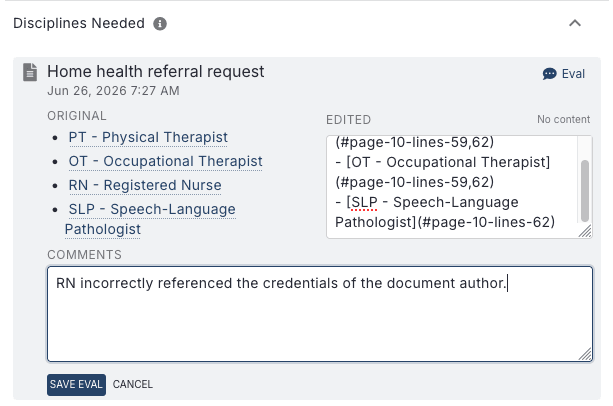
As an aside, I probably also need to sanitize the user revision UX of markdown syntax.
My current hypotheses:
- End users will mostly not be interested in providing inference revisions or comments; they’re focused on completing their work
- However, I will likely be able to achieve reasonable tuning with a modest amount of human labeling because of the narrow task for each prompt (“does this document note an indwelling catheter, surgical drain, or wound?”) and the ease with which a valid response can be adjudicated by a sufficiently powerful model
- I can arbitrage using a powerful model at low volume to optimize the prompt for a cheap model that will run at high volume
- Moderately performant information of interest extraction is a huge workflow improvement upon a drive full of PDFs, high performance is a sweetener but not necessary for an MVP
Stay tuned for when I actually start some tuning runs once I have some labels to work with.
Side tangents/For fun
I had planned to weave this stuff into the above narrative but thought that might be too distracting. Instead, here’s brain dump of things that I think are cool lately – I like complicated systems, turns out home automation can get complicated!
-
Did you know that AirPlay 2 protocol has been reverse engineered and you can run it on a linux box? I’m working on virtualizing a couple AirPlay endpoints and interfacing them with a home audio system.
-
Did you know that some folks have also reverse engineered the serial protocol for Carrier/Bryan HVAC systems? With cheap serial hardware you can integrate your legacy system into your home automation stack.
AI Disclosure
I wrote this post the old fashioned way, in a blank document without an LLM. However some of the code I’ve shared is LLM generated.